01 PROMPT
Give every task its own agent.
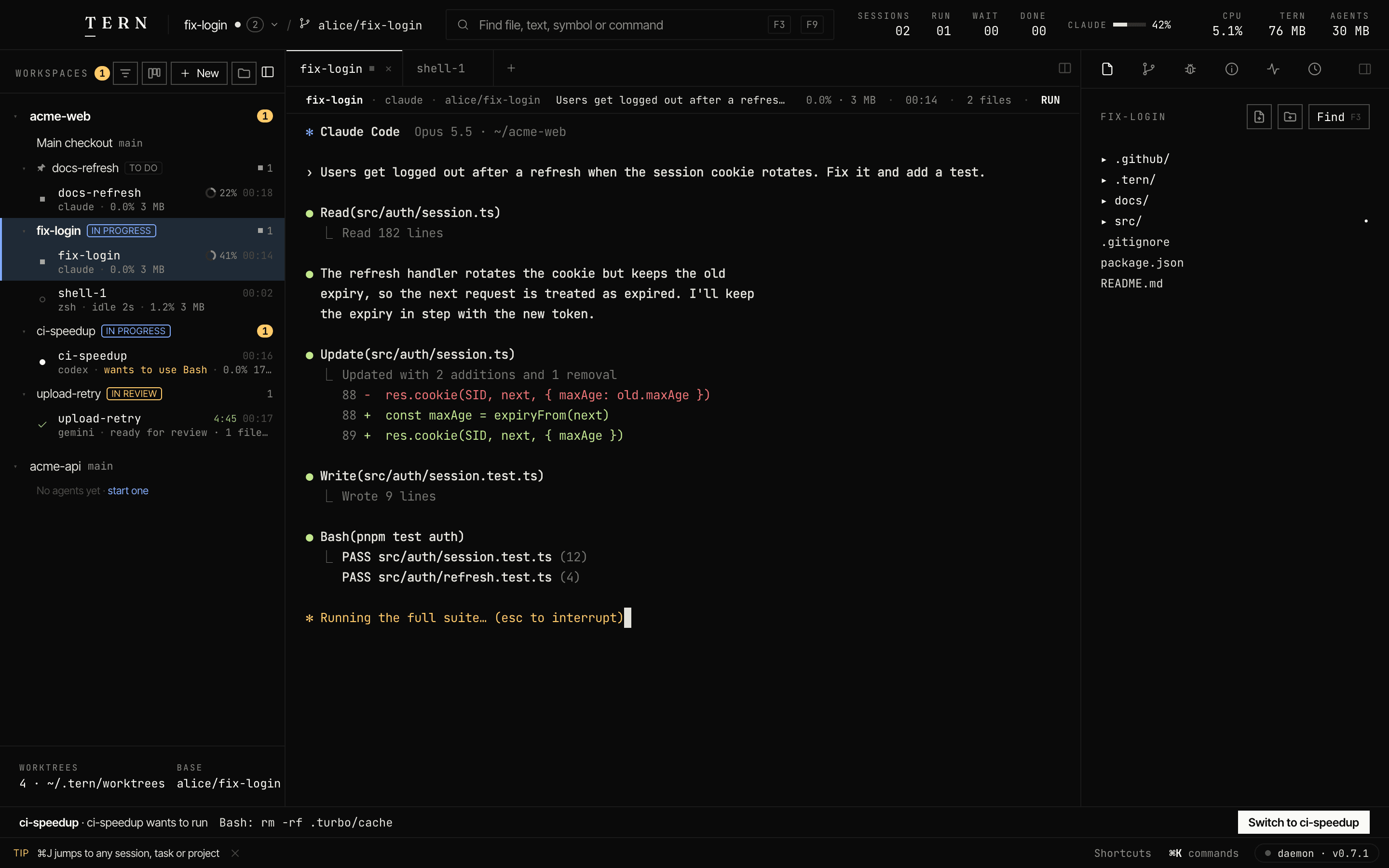
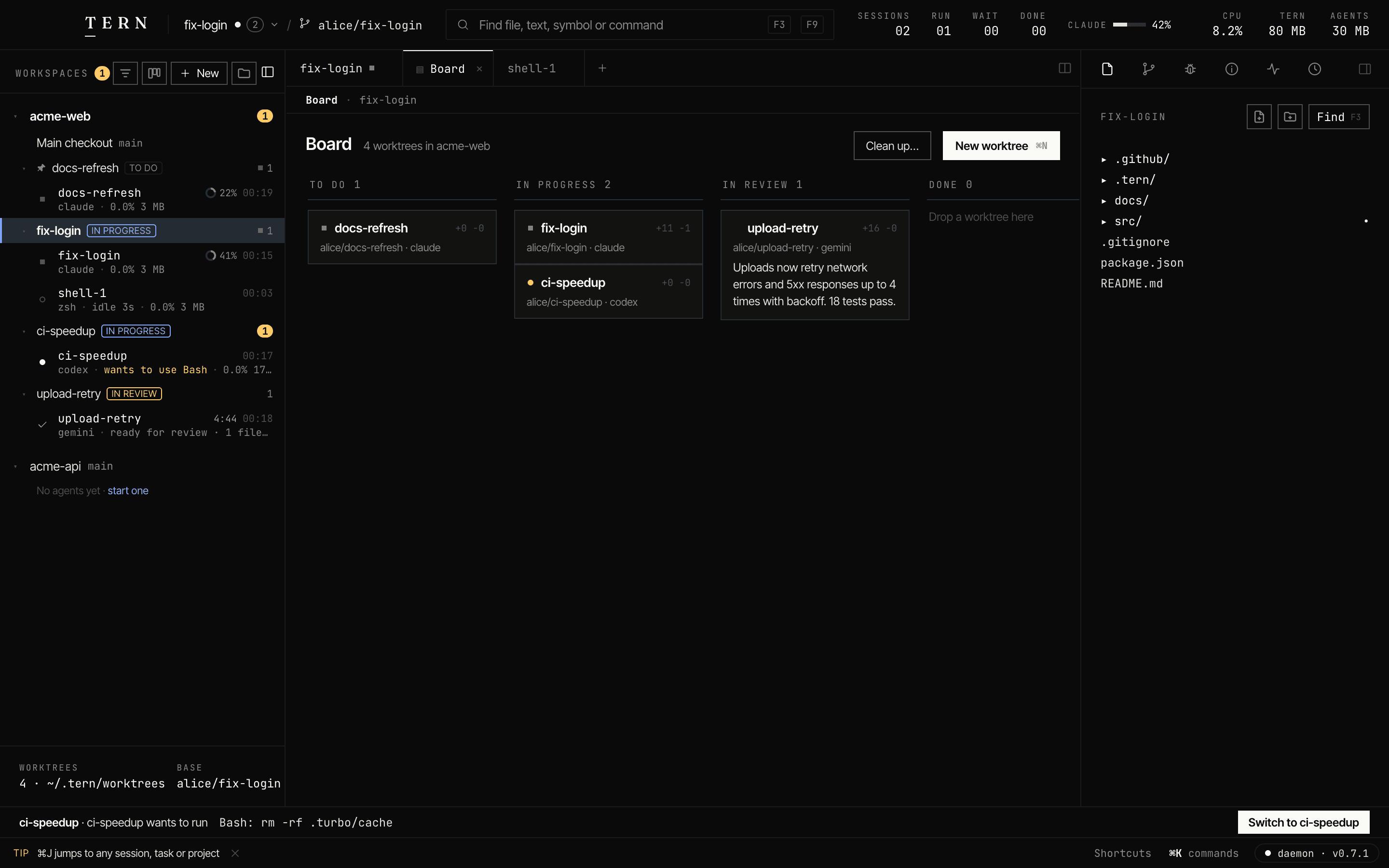
⌘N makes a worktree and a branch. No stashing, no collisions.
// one app, a fleet of agents
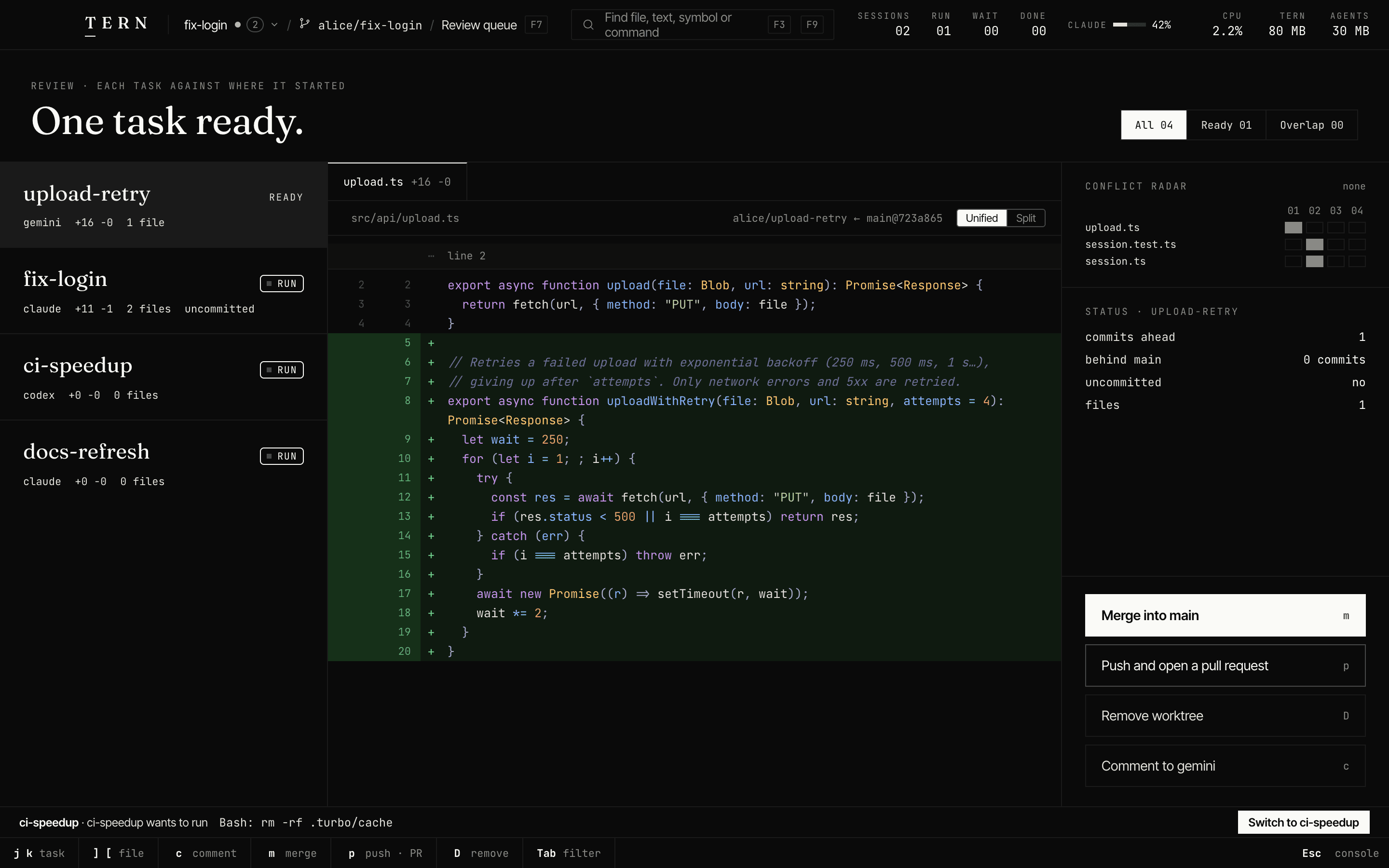
Run coding agents side by side, each in its own worktree. Review every change in one queue.
brew install --cask shubham-1994/tern/tern-desktopbrew install shubham-1994/tern/terncurl -fsSL https://tern.build/install.sh | shFree · macOS 12+ · Apple Silicon and Intel · CLI for Linux too
 T E R N  │  acme-web / ⎇ main                              SESSIONS 08  RUN 03  WAIT 01  DONE 03   ● daemon · v0.7.1
──────────────────────────────────────────────────────────────────────────────────────────────────────────────────────
 Agents M-1   Files M-2   Git M-3 │ 1 docs-refresh ■ │ 2 upload-retry │ 3 ci-speedup ● │ 4 fix-login ■ │ 5 shell-1 │ 6
──────────────────────────────────│───────────────────────────────────────────────────────────────────────────────────
 8 SESSIONS · 1 NEEDS YOU         │  SESSION 01 · CLAUDE · ALICE/DOCS-REFRESH CPU    MEM      ELAPSED   FILES  STATUS
                                  │  docs-refresh                             0.0%   3M       00:36     00     RUN
──────────────────────────────────│  Update the setup section of the docs for pnpm 10 and the new README.
  > docs-refresh          [■ RUN] │───────────────────────────────────────────────────────────────────────────────────
    claude ·                      │✻ Claude Code  Opus 5.5 · ~/acme-web
    ▁▁▁▁▁▁▁▁▁▁▁▁▁▁▁▁▁▁▁█▁▁▁▁▁▁▁   │
──────────────────────────────────│› Update the setup section of the docs for pnpm 10 and the new README.
 02 upload-retry           ✓ DONE │
    gemini · ready for review · … │● Read(README.md)
    ▁▁▁▁▁▁▁▁▁▁▁▁▁█▁▁▁▁▁▁▁ +16 −0  │  ⎿  Read 96 lines
──────────────────────────────────│
 03 ci-speedup              WAIT  │● Search(pattern: "pnpm (dev|build)", path: "docs")
    codex · wants to use Bash     │  ⎿  Found 7 files
    ▁▁▁▁▁▁▁▁▁▁▁▁▁▁▁▁▁▁▁▁█▁▁▁▁▁▁   │
──────────────────────────────────│✻ Rewriting the setup section… (esc to interrupt)
 04 fix-login             [■ RUN] │
    claude ·                      │
    ▁▁▁▁▁▁▁▁▁▁▁▁▁▁█▁▁▁▁▁▁ +11 −1  │
──────────────────────────────────│
 05 shell-1                  IDLE │
    zsh · idle 20s                │
    ▁▁▁▁▁▁▁▁▁▁▁▁▁▁▁▁▁▁▁▁▁▁█▁▁▁▄   │
──────────────────────────────────│───────────────────────────────────────────────────────────────────────────────────
 06 dark-mode-adbe.… •     ✓ DONE │  › typing goes to docs-refresh · paste works · ^B for tern keys            claude
 APPROVAL │ ci-speedup · codex wants to run  Bash: rm -rf .turbo/c…  View ^B v   Reject ^B r   Always ^B a   Allow F5
 1 Help │ 2 New │ 3 Find │ 4 Diff │ 5 Approve │ 6 Next │ 7 Review │ 8 Kill │ 9 Symbol │ 10 Detach │         ^B prefix
16 agents: Claude Code, Codex, Gemini CLI, Cursor Agent, GitHub Copilot CLI, OpenCode, Aider, Goose, Amp, Auggie, Crush, Factory Droid, Grok CLI, Kimi CLI, Kiro CLI, Qwen Code, and any CLI agent.
// how it works
01 PROMPT
⌘N makes a worktree and a branch. No stashing, no collisions.
02 REVIEW
Comment on a diff and it goes straight back to the agent.
03 SHIP
Or push and open a pull request, right from the queue.
// small on purpose
Measured on an Apple Silicon Mac. How →
// and on day two
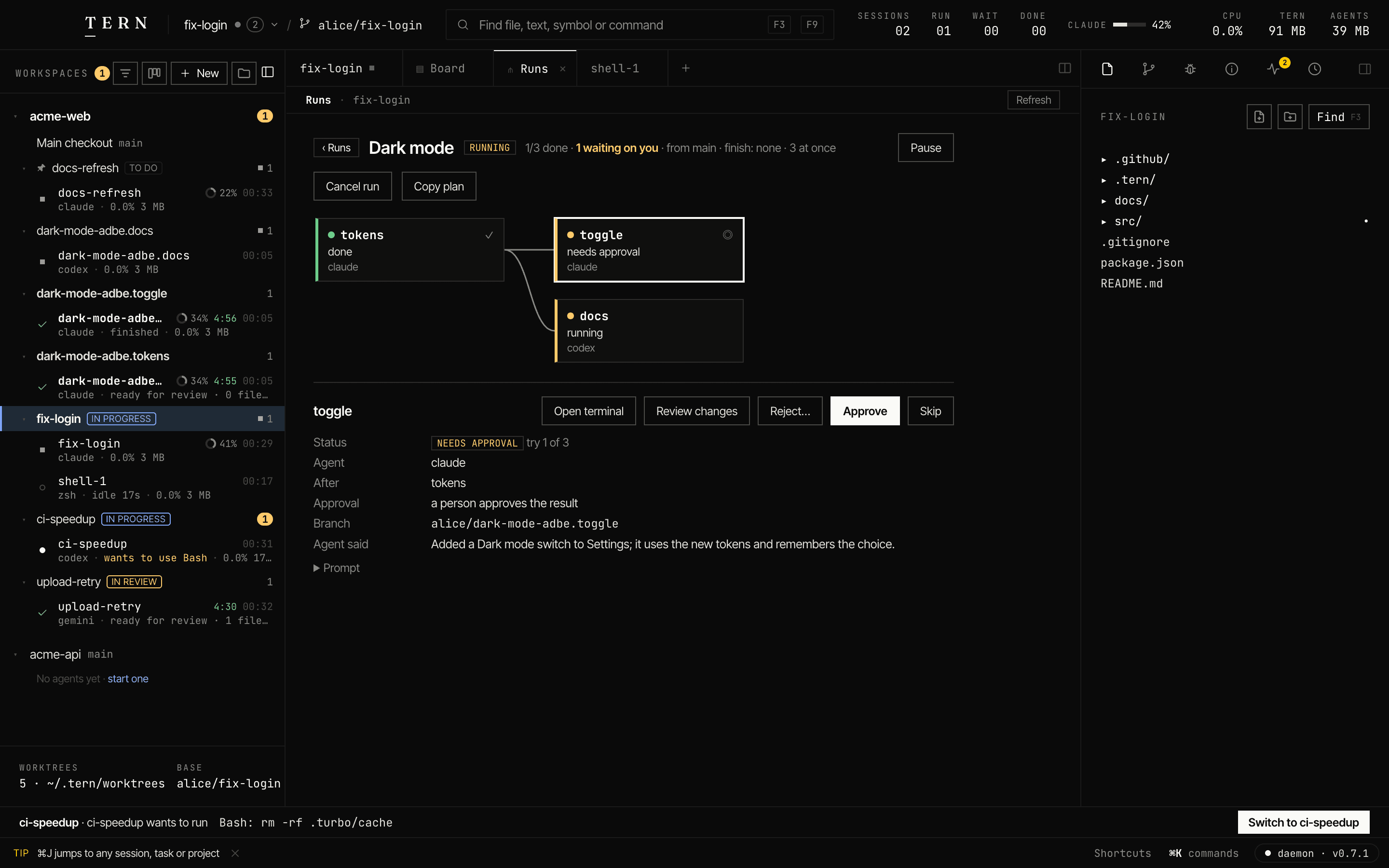
Multi-step plans that run themselves, with approvals.
The same sessions in your terminal. Detach, reattach anywhere.
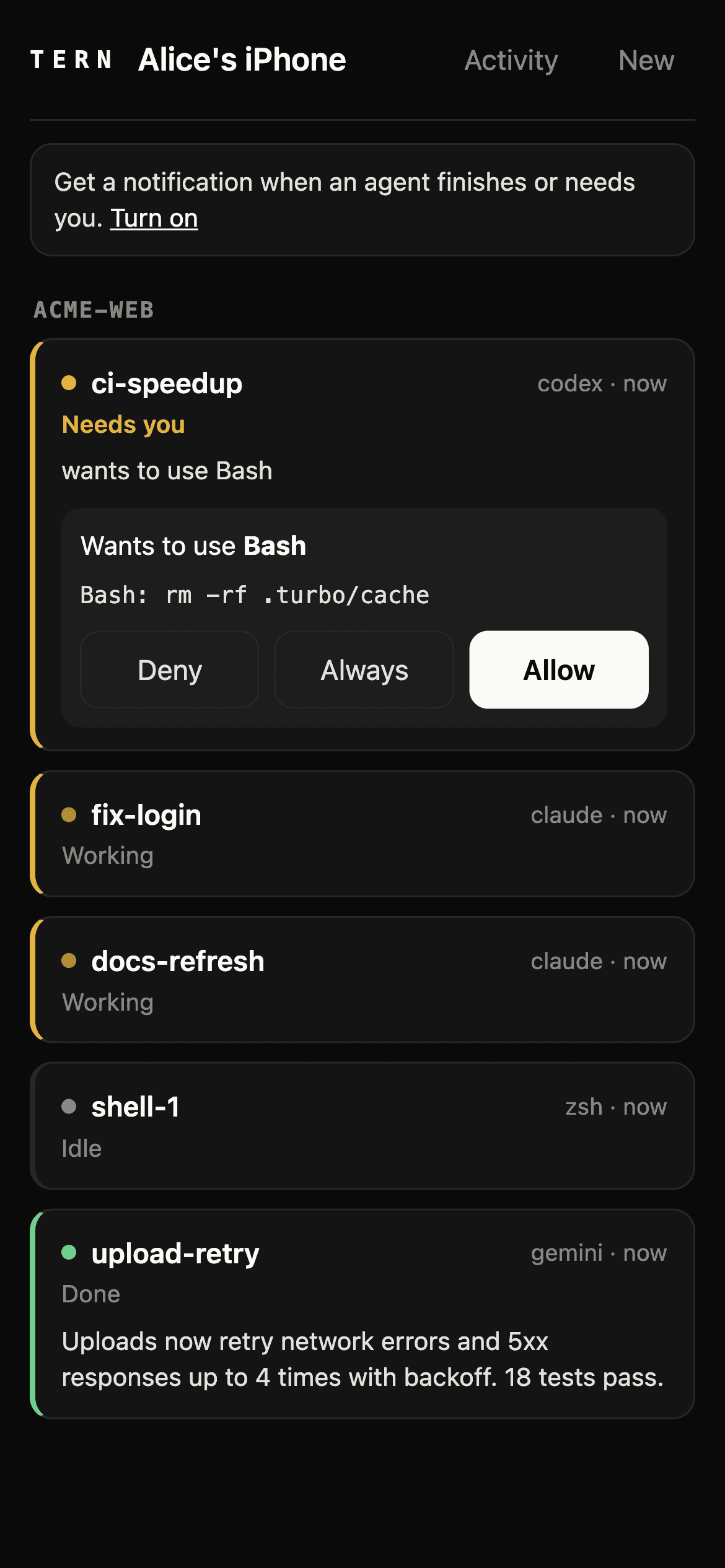
Get pinged when an agent's done. Approve from anywhere.
tern ssh devbox drives a bigger box from here.
Two tasks editing one file? You'll know before you merge.
Close the window. A tiny daemon keeps agents working.
// leave the desk
// compared
| Capability | Tern | Electron agent IDEs | Terminal + tmux |
|---|---|---|---|
| Native app, no Electron | yes | no | n/a |
| Terminal UI for the same sessions | yes | no | yes |
| Agents keep running when you close it | yes | varies | yes |
| A worktree per task, made for you | yes | yes | by hand |
| One review queue for every change | yes | varies | no |
| Phone access, no vendor server | yes | varies | no |
// questions
An IDE for running many coding agents at once. Every task gets its own git worktree; you review them all in one place, from a native Mac app or your terminal.
16 out of the box, including Claude Code, Codex, Gemini CLI, each on your own account. Any other CLI agent runs in a tab.
No. Tern runs on your machine and has no servers. Your agents talk to their providers as they always do.
The CLI and terminal UI do, and FreeBSD too. The desktop app is macOS-only for now.
Yes. Tern is closed source; every release's binaries and checksums are public.
The app isn't notarized yet. Open it once, then choose Open Anyway in System Settings ▸ Privacy & Security.
More in the docs →
brew install --cask shubham-1994/tern/tern-desktop